


Flat beats sharp
Text recognition works by matching letter shapes. On a curved page the same letter is tall near the outer margin and squeezed near the gutter, and a model that has to guess which is which makes mistakes. Flatten the page first and every letter on the line has the same proportions again. This is the single biggest lever, and it is why vFlat runs page flattening before recognition rather than after.
Light matters more than megapixels
A modern phone camera has far more resolution than recognition needs. What it does not have is control over the light in the room. Even, diffuse light from the side gives clean strokes; a single hard lamp gives glare on glossy paper and a shadow from your hand or the phone across the text. If a scan reads badly, move the book, not the settings.
Fill the frame, keep it square
Perspective is corrected automatically, but a page that fills the frame simply has more pixels per letter than one that occupies a corner of it. Get closer, keep the phone roughly parallel to the page, and let auto detection find the edges.
Tell it which languages to expect
Recognition covers more than 100 languages, and mixed pages — Korean with English terms, Japanese with numerals — read fine. It still helps to have the right languages selected: the model spends its confidence on the alphabets you actually use instead of every one it knows.
Check the text layer once
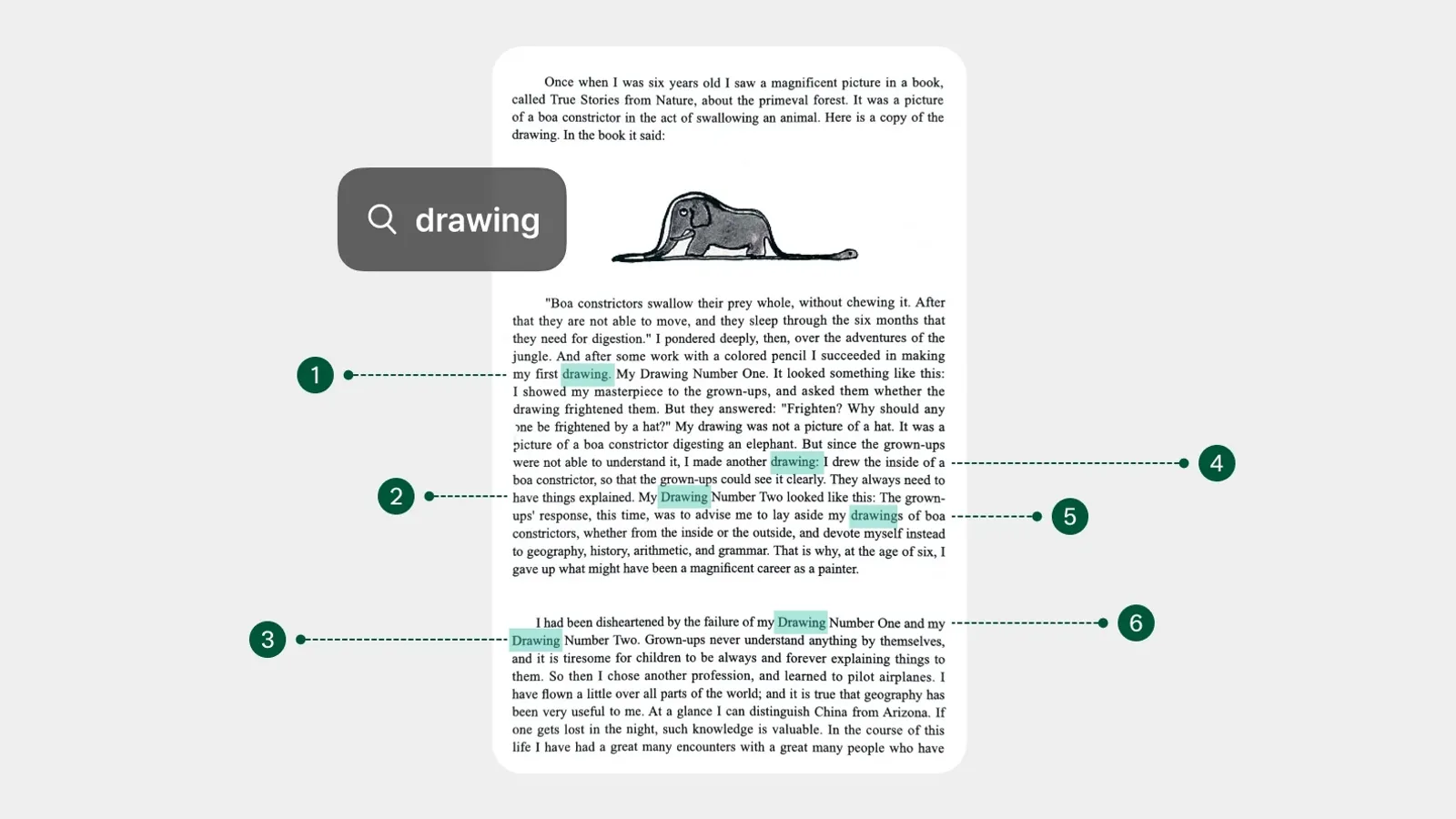
After recognition, search the scan for a few words you know are on the page — near the top, by the gutter and in the bottom margin. If they all come up, the page is in good shape. If some are missing, the problem is almost always in the capture — a shadow, glare, or a page that was not flat — and a retake fixes it faster than any correction afterwards.